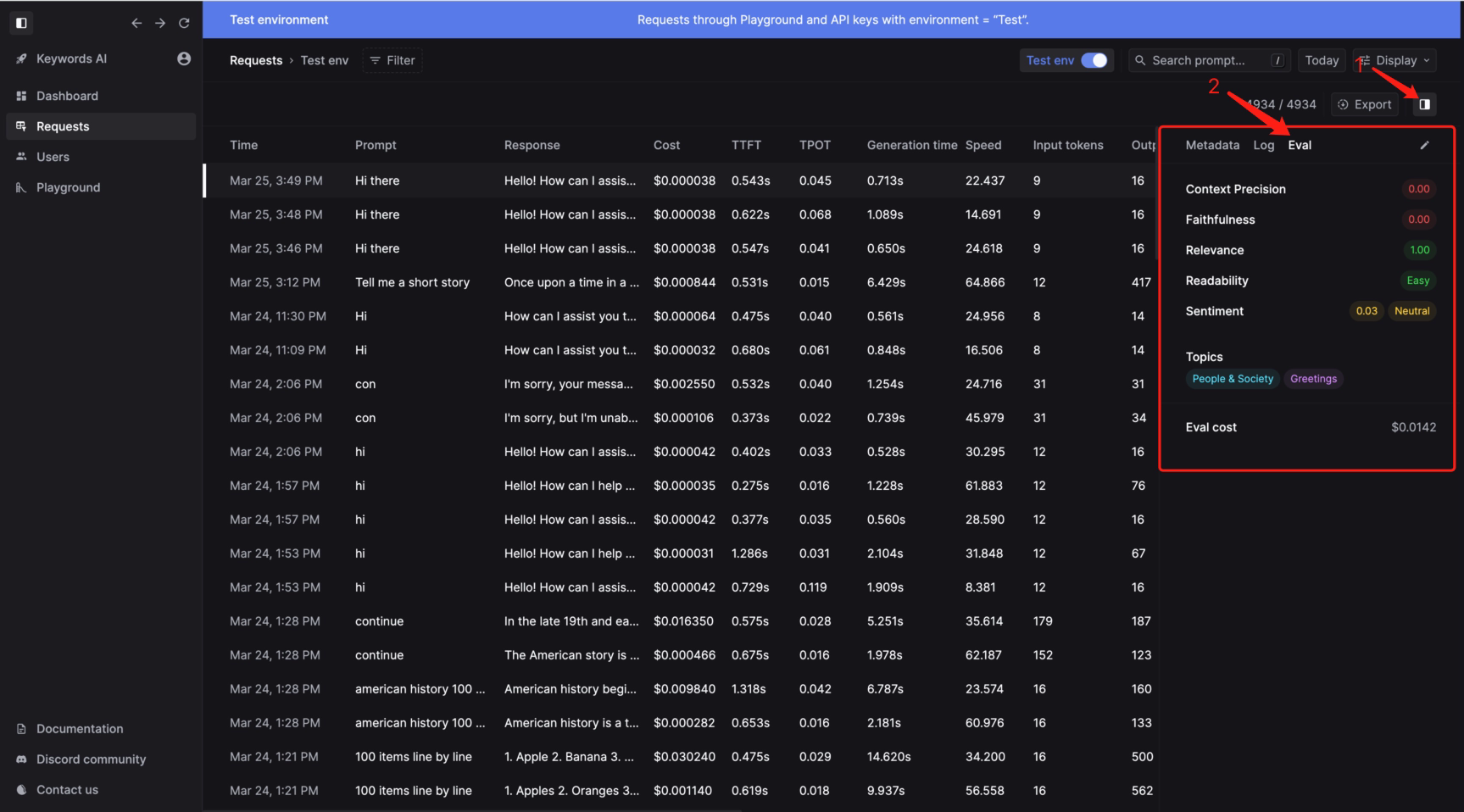
Settings and parameters
- Go to Keywords AI (on top of the left nav bar) > Evaluation > Text generation > Flesch–Kincaid
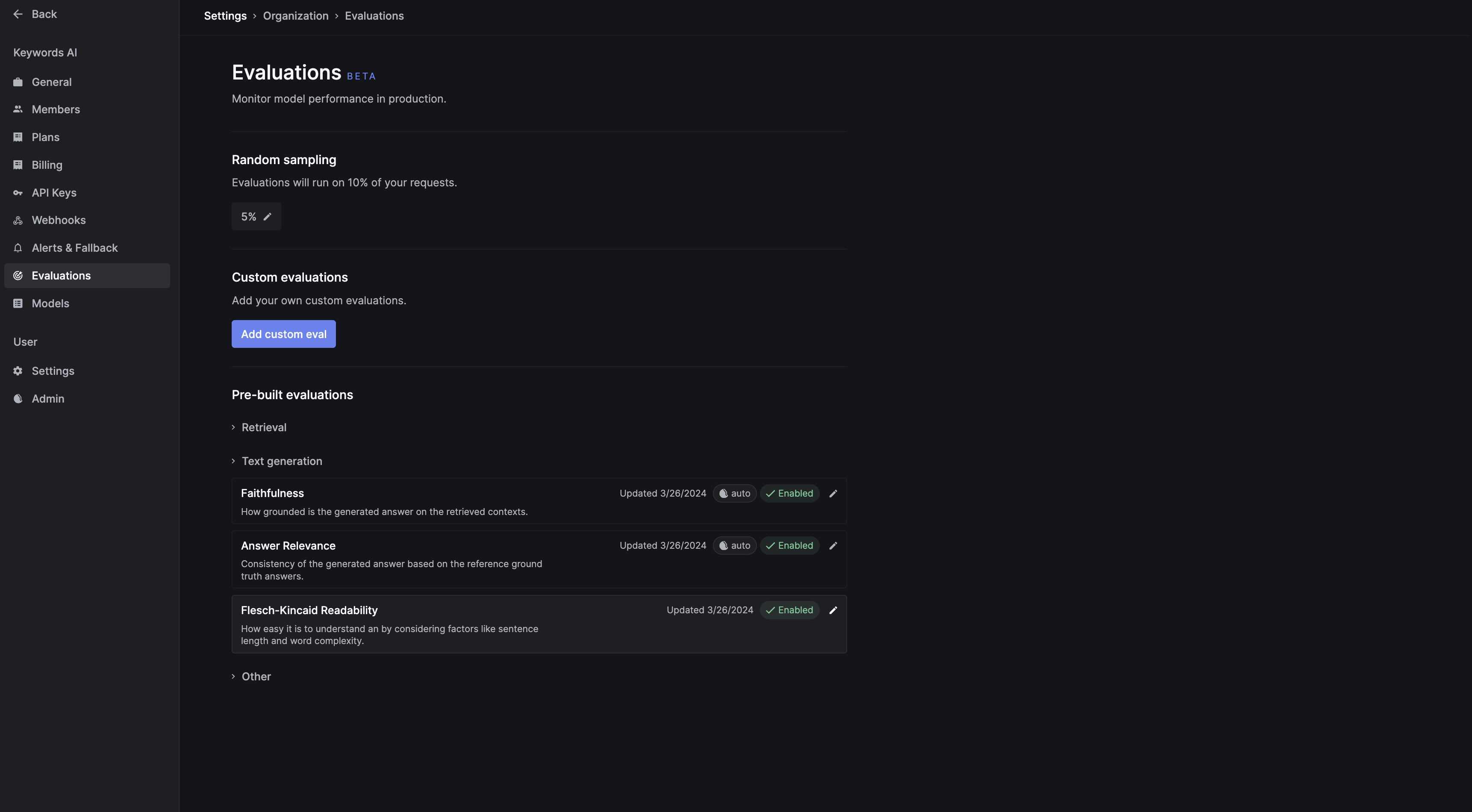
- Click on the
Flesch–Kincaidcard to create the setting:

- Click the enable switch to turn on the evaluation
- Pick which method you want to use:
- Flesch-Kincaid Reading Ease
- Flesch–Kincaid Grade Level
-
Make an API call, and the evaluation will be run based on the
Ramdom samplingsetting. - Check results in the requests log