

What is an online evals automation?
Online evals automatically runs evaluators on your production logs in real-time based on conditions and sampling rules.How to set up an online evals automation?
1. Create a condition
A condition defines the filtering rules that determine which production logs will be evaluated—only logs that match the condition proceed to the sampling and evals stages.Go to Conditions.
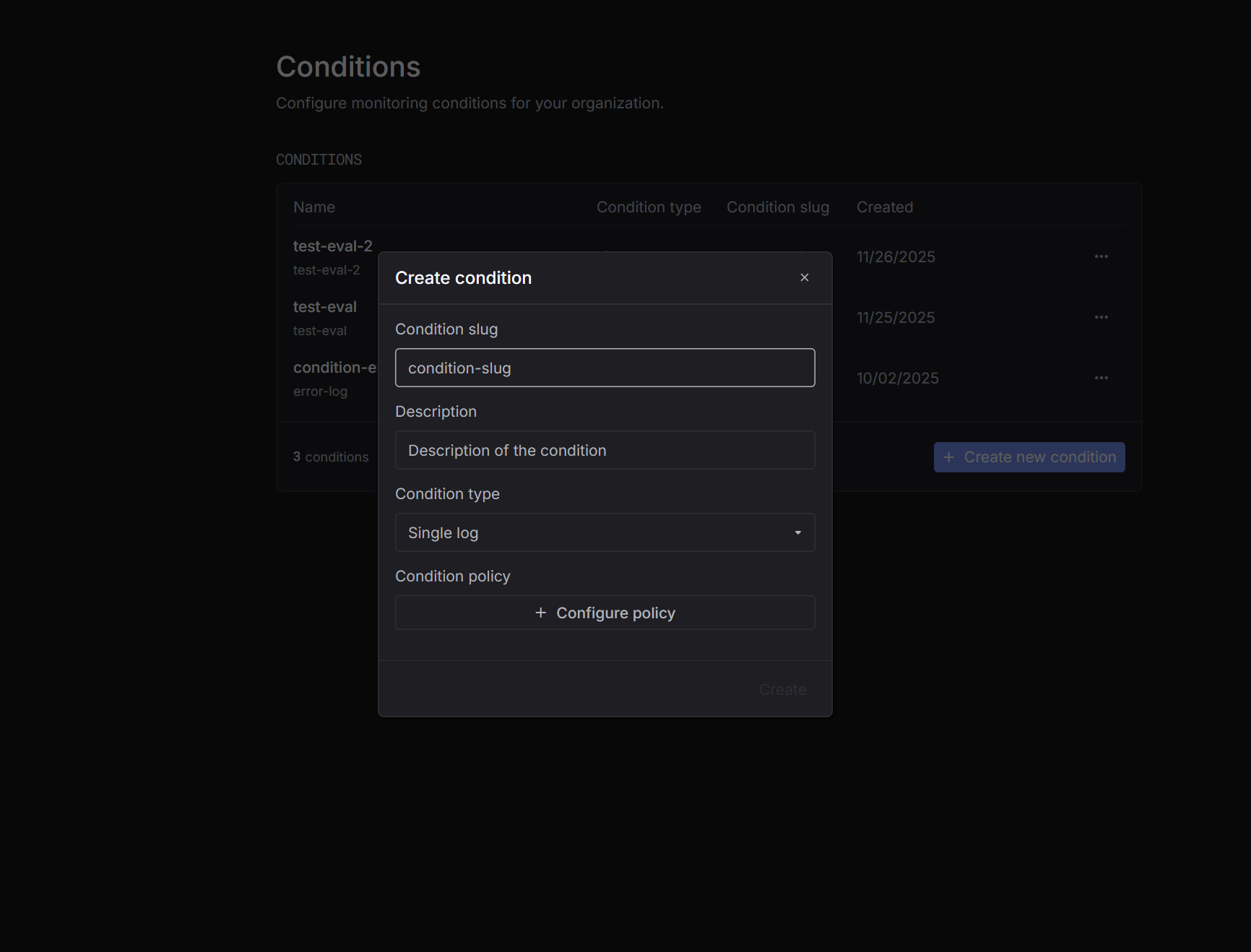
- Single log – triggers when a specific log matches the rule.
- Aggregation – triggers based on aggregated metrics over time.
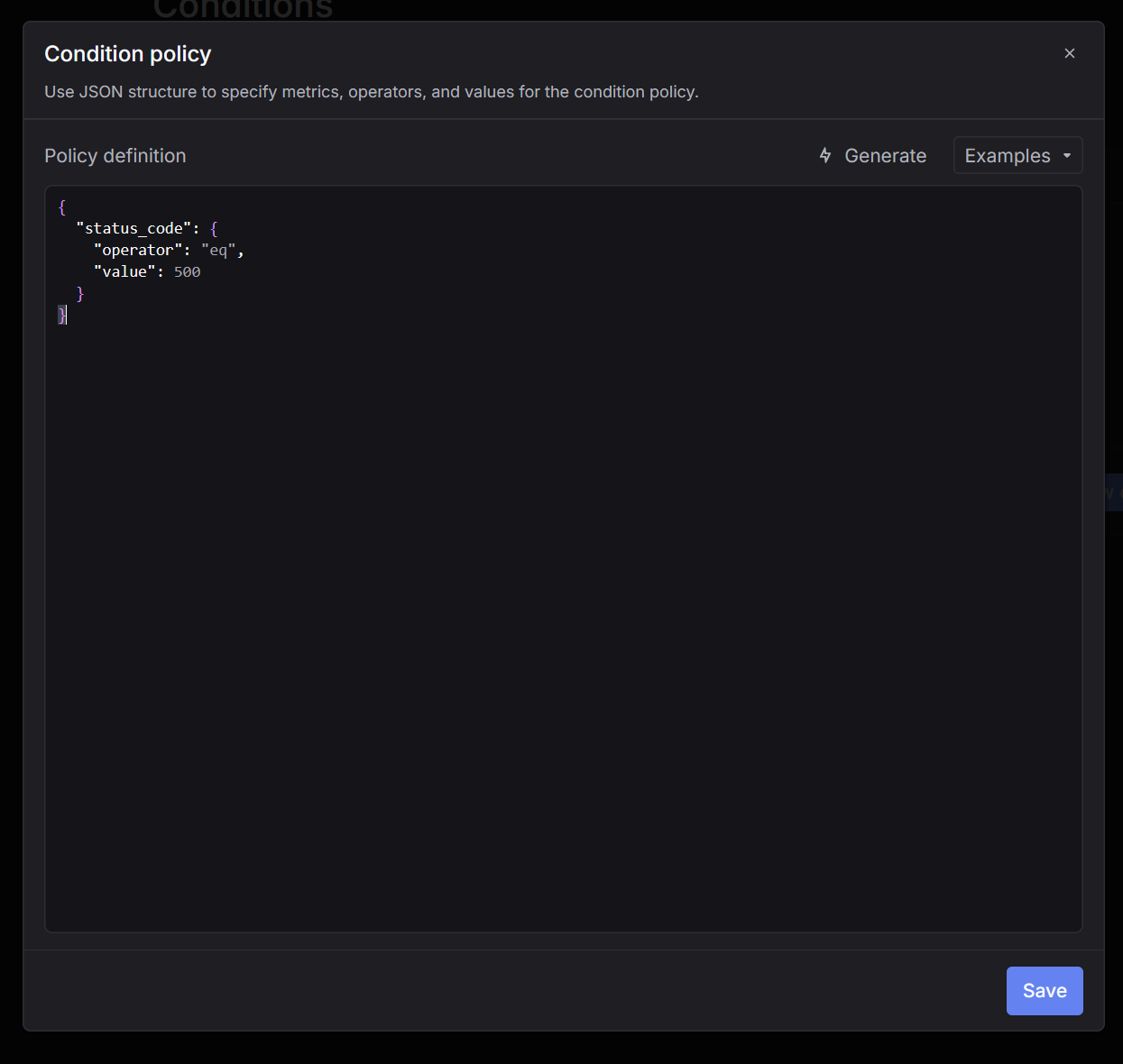
Following is a simple condition that triggers everytime a log with status code 500 is logged.
2. Create an automation
Once your condition and evaluator are ready, navigate to Automations and create a new automation.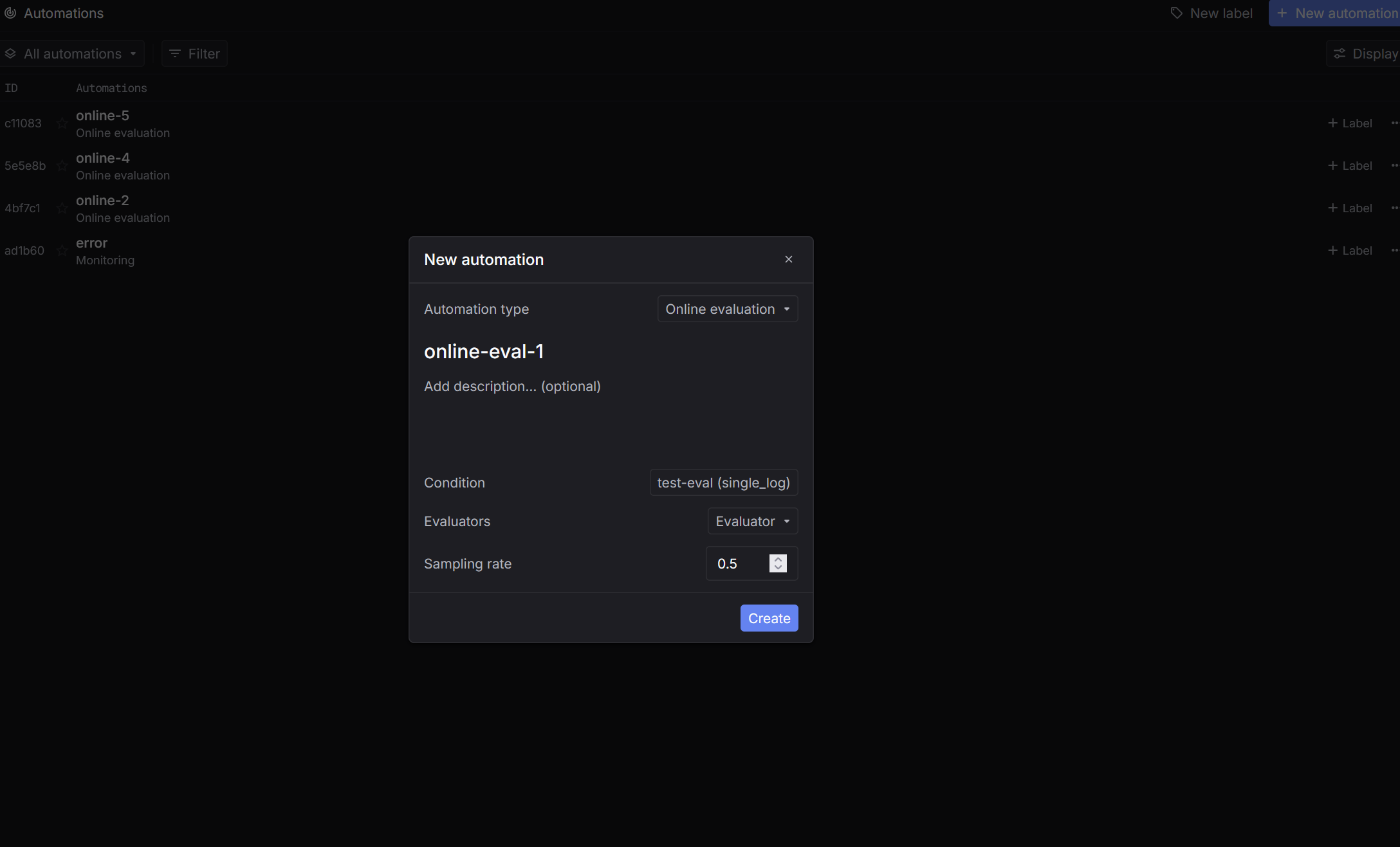
- Select Online evals as the type.
- Select the condition you want to track.
- Choose the evaluator you want to run through.
- Set the Sampling rate (range from 0 to 1).
When the defined condition is met, sampling will be done and run through evaluators.
3. Check online evals results
After condition is triggered, online evals results will be shown in the table of the automation detail page.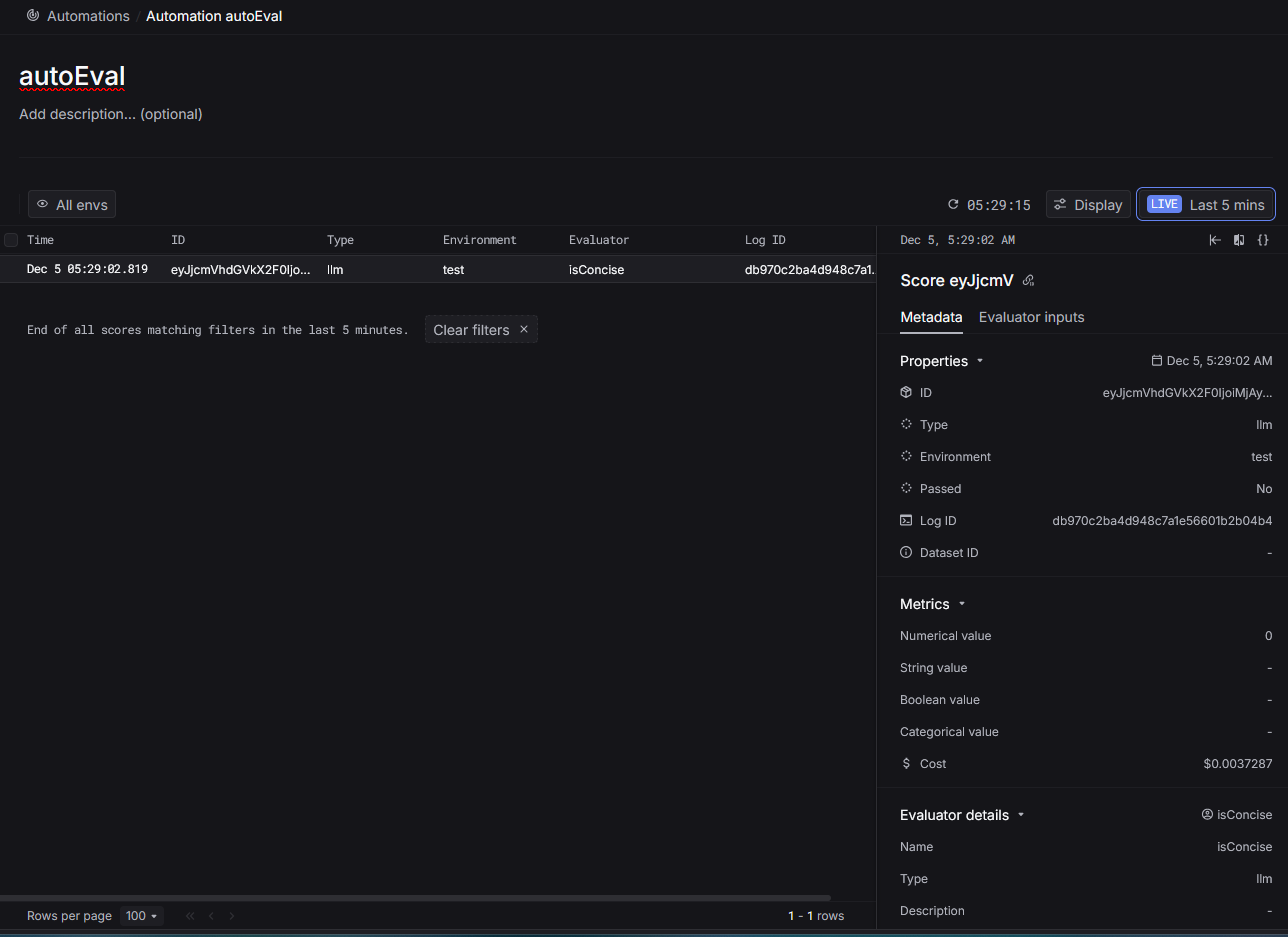
Table columns
The results table displays the following information for each evaluation:- Time – When the evaluation was executed
- ID – Unique identifier for the evaluation score
- Environment – The environment where the log was generated (e.g.,
test,production) - Evaluator – Name of the evaluator that was run
- Log ID – The ID of the log that was evaluated
Sidepanel details
The sidepanel on the right provides comprehensive information about the selected evaluation result: Properties- ID – Unique evaluation score identifier
- Type – Evaluator type
- Log ID – Link to the original log
- Numerical value – Numeric score from the evaluation
- Name – The evaluator’s name
- Type – The evaluator type
- Description – Details about what the evaluator checks