This integration is for the Keywords AI gateway. For workflow tracing, see Haystack Tracing.

Overview

Haystack is an open-source framework for building LLM applications with composable pipelines. The Keywords AI gateway integration routes your LLM calls through Keywords AI for automatic logging, fallbacks, load balancing, and cost optimization.
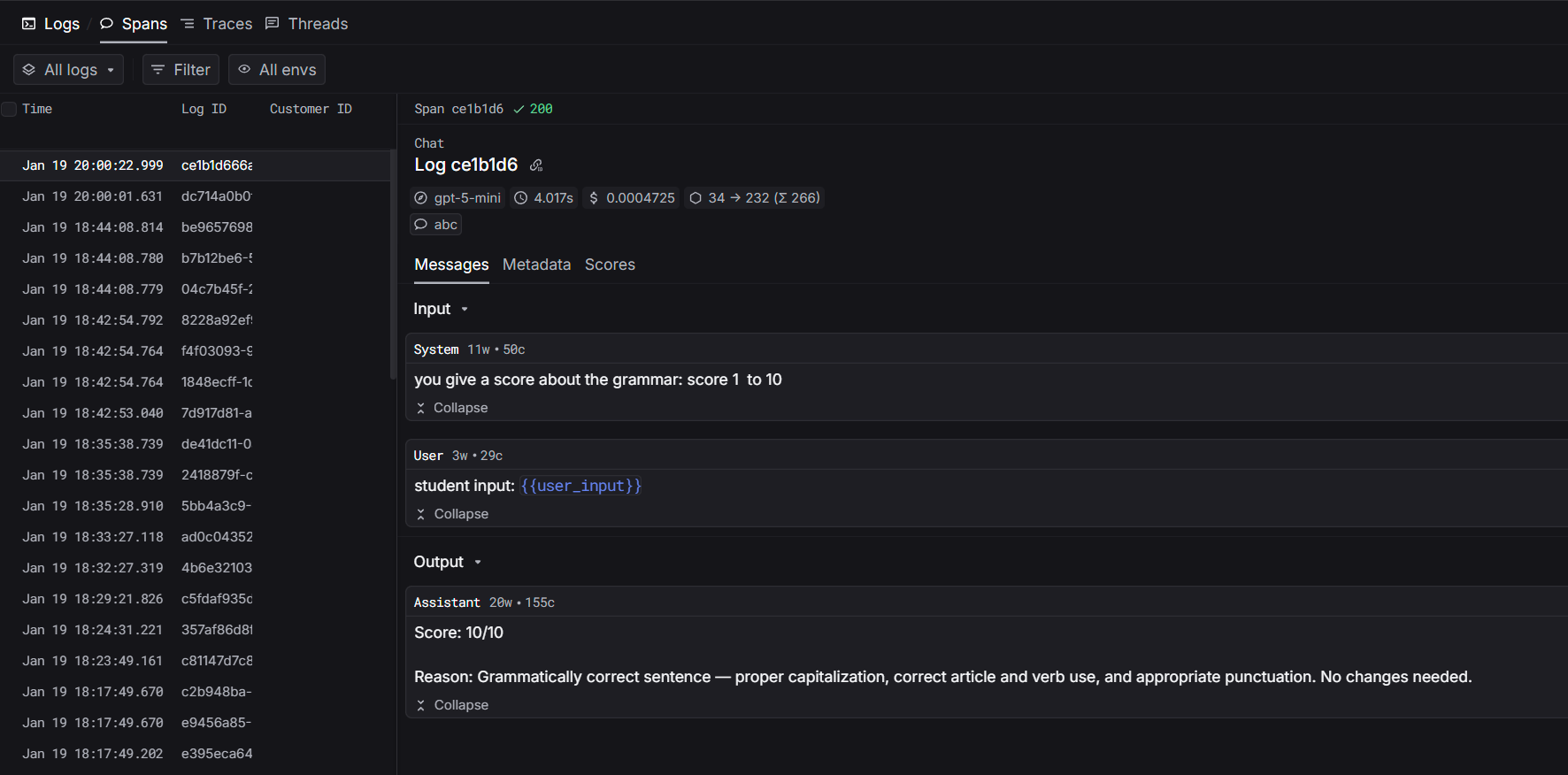
Haystack gateway integration

Installation

pip install keywordsai-exporter-haystack

Quickstart

Step 1: Set Environment Variables

export KEYWORDSAI_API_KEY="your-keywords-ai-key"

Step 2: Replace OpenAIGenerator with KeywordsAIGenerator

import os
from haystack import Pipeline
from haystack.components.builders import PromptBuilder
from keywordsai_exporter_haystack import KeywordsAIGenerator

# Create pipeline
pipeline = Pipeline()
pipeline.add_component("prompt", PromptBuilder(template="Tell me about {{topic}}."))
pipeline.add_component("llm", KeywordsAIGenerator(
    model="gpt-4o-mini",
    api_key=os.getenv("KEYWORDSAI_API_KEY")
))
pipeline.connect("prompt", "llm")

# Run
result = pipeline.run({"prompt": {"topic": "machine learning"}})
print(result["llm"]["replies"][0])
That’s it! All LLM calls are now automatically logged to Keywords AI.

Prompt Management

Use platform-managed prompts for centralized control:
import os
from haystack import Pipeline
from keywordsai_exporter_haystack import KeywordsAIGenerator

# Create pipeline with platform prompt
# No model needed - it comes from the platform
pipeline = Pipeline()
pipeline.add_component("llm", KeywordsAIGenerator(
    prompt_id="your-prompt-id",  # Get from platform
    api_key=os.getenv("KEYWORDSAI_API_KEY")
))

# Run with prompt variables
result = pipeline.run({
    "llm": {
        "prompt_variables": {
            "user_input": "your text here"
        }
    }
})
Benefits:
  • Update prompts without code changes
  • Model configuration managed on platform
  • Version control & rollback
  • A/B testing

Supported Parameters

OpenAI Parameters

All OpenAI parameters are supported:
pipeline.add_component("llm", KeywordsAIGenerator(
    model="gpt-4o-mini",
    api_key=os.getenv("KEYWORDSAI_API_KEY"),
    generation_kwargs={
        "temperature": 0.7,      # Control randomness
        "max_tokens": 1000,      # Limit response length
    }
))

Keywords AI Parameters

Use Keywords AI parameters for advanced features:
pipeline.add_component("llm", KeywordsAIGenerator(
    model="gpt-4o-mini",
    api_key=os.getenv("KEYWORDSAI_API_KEY"),
    generation_kwargs={
        "customer_identifier": "user_123",           # Track users
        "fallback_models": ["gpt-3.5-turbo"],       # Auto fallbacks
        "metadata": {"session_id": "abc123"},        # Custom metadata
        "thread_identifier": "conversation_456",     # Group messages
        "group_identifier": "team_alpha",           # Organize by groups
    }
))

Workflow Tracing

For complete visibility of your pipeline execution, add workflow tracing to see how data flows through each component.

Haystack Tracing Integration

Learn how to trace your entire Haystack pipeline